
Create and manage API keys
Create a project key, save it once, rotate it before expiry and revoke unused access.
2 min readAPI keys authenticate your integration's backend. Each key belongs to a project. Keep it on your server; do not put it in browser code, connection links or the Windows app.
Create a key#
- Choose the correct organization and project, then open API keys.
- Select Create API key.
- Enter a recognizable Key name, such as Production backend. Check the access level shown in the dialog.
- Select Create, then copy the secret from Save your API key into your server's secret store. The secret is shown once.
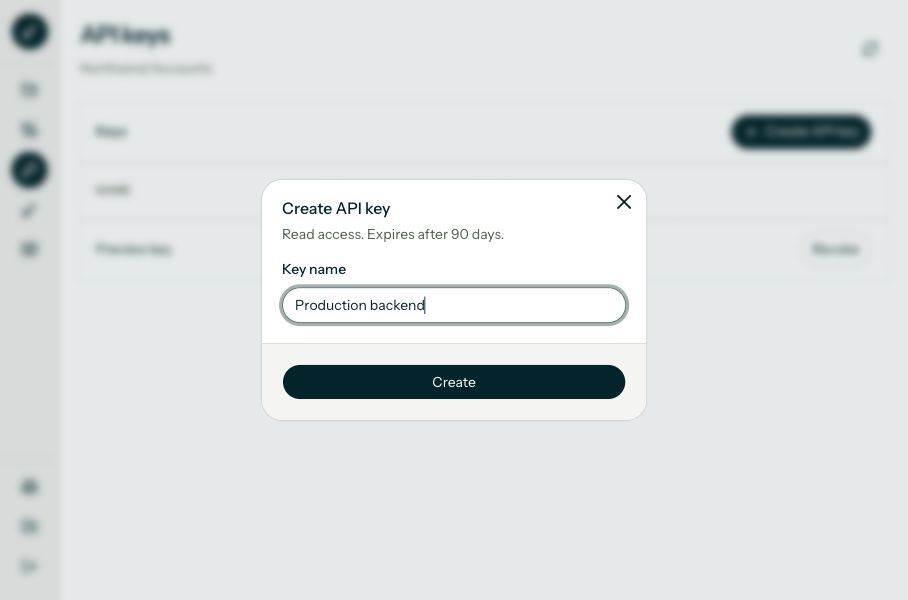
Keys created in the portal expire after 90 days. Their operations come from the project's access setting. The dialog does not offer a custom expiry or an individual-operation picker.
Use the key#
Send Authorization: Bearer <API_KEY> to the Sage API. The key and connection must belong to the same project and allow the requested operation. Sage permissions and runtime capabilities still apply.
Rotate or revoke a key#
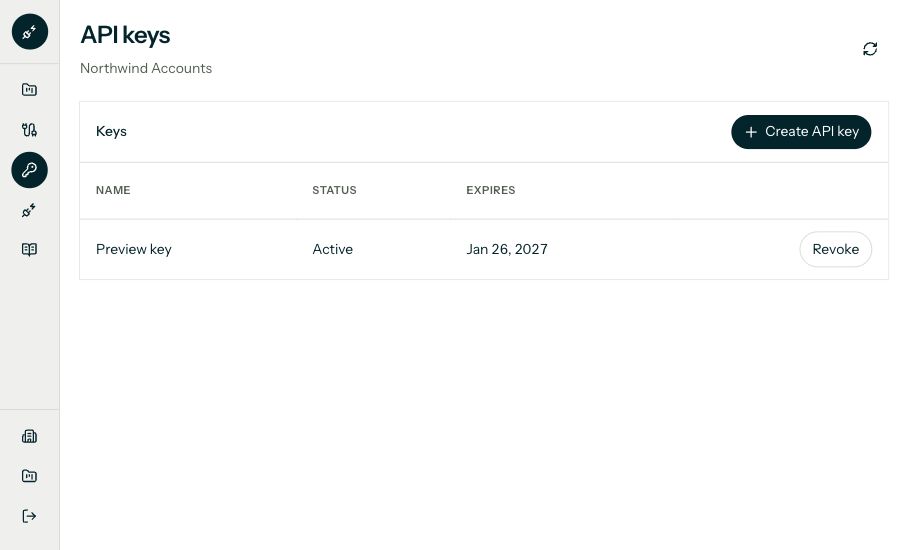
- Create a replacement key before the old one expires.
- Update your backend secret and confirm a read request works with the replacement.
- Select Revoke beside the old key and confirm in the modal.
Revocation stops further requests using that key. It does not delete the Sage company or revoke other keys. If the secret was lost, create a replacement; it cannot be displayed again. If it was exposed, revoke it and update the affected integration.